Guest Communication: 8 Ready-to-Use Message Templates
From booking to post-stay: the 8 essential messages to send your Airbnb and Booking guests, with templates, ideal timing, and automation tips.
It's 11:47pm, you were about to go to bed, and a guest asks for the wifi code. The next day, another wants to arrive early, a third can't find the key box. Writing these replies by hand becomes a second job, repetitive, exhausting, and yet crucial for your reviews.
The good news: the vast majority of guest questions are predictable. Wifi, arrival, parking, departure: always the same topics, at the same points in the stay. By preparing 8 message templates once and for all, sent at the right time, you answer before the question is even asked. Here are the templates, the timing, and the method to automate without sounding like a robot.
Why message templates change your reviews (and your nights)
A few figures to put things in perspective. According to a Touch Stay study of over 37,000 conversations, check-in is the second most common guest question, just behind wifi, and 88.7% of guests expect detailed arrival instructions: Touch Stay. If you don't send this information proactively, you'll be asked for it. Often late at night.
The impact on your rating is direct: 69% of guests say the quality of host communication influences their likelihood of leaving a positive review: Touch Stay. And expectations for responsiveness are rising: according to a Vrbo survey from 2026, 56% of guests expect a reply within an hour if there's a problem: Vrbo / Businesswire.
On the platform side, Superhost status requires a response rate of at least 90% within 24 hours: full criteria in the Airbnb Help Centre. Well-designed message templates are a measurable lever for your rating, your visibility, and your peace of mind.
Before the stay: set the tone (messages 1 to 3)
Message 1, Booking confirmation (within the hour)
Goal: reassure and show you're responsive. It's your first impression, so send it quickly, ideally automatically.
Hello [First name], thank you for your booking! We're delighted to welcome you to [property] from [date] to [date]. You'll receive all the arrival instructions 3 days before your stay. In the meantime, feel free to ask if you have any questions. See you soon, [Your name]
Key points: a warm tone, confirmation of the dates (date errors are often spotted here), and above all, mention of the next message, so the guest knows they don't need to chase you.
Message 2, Arrival instructions (3 days before)
This is the most important message of all eight. It should include: the exact address with a visual landmark, step-by-step access instructions (code, key box, smart lock), check-in time, parking info, and your number in case of issues. If you offer self check-in, which 67% of guests prefer according to Touch Stay, make every step clear: a photo of the key box is worth a thousand words. For help choosing the right access solution, see Self check-in: key safe or smart lock?.
Classic mistake: sending this message too early (it gets lost) or too late (the guest is already on the way). 3 days before is the sweet spot, with a reminder on arrival day.
Message 3, Arrival day reminder (morning of arrival)
A short message repeating the essentials: check-in time, access code, your phone number.
Hello [First name], today's the day! The property will be ready for you from [time]. Quick reminder: [access instructions in one sentence]. Safe travels and see you soon!
Critical point: never write "the property is ready" unless you are absolutely sure. This message should only be sent once cleaning is actually finished, confirmed by your cleaner, ideally with photos. A "it's ready!" followed by a guest arriving to an unclean property is a disaster scenario; if it happens anyway, react quickly (see Last-minute cleaning: managing absent cleaners and surprises).
During the stay: present but not intrusive (messages 4 and 5)
Message 4, Next morning check-in (day after arrival, morning)
One message during the stay is enough in most cases. The morning after arrival, simply ask if everything is okay:
Hello [First name], I hope you had a great first night! Is everything in order at the property? If anything's missing or not quite right, just let me know and I'll sort it out quickly. Enjoy your stay!
This message catches small issues before they end up in the review (blown bulb, heating not working) and shows genuine care. The most common guest complaints: poor internet connection (39%), insufficient maintenance (38%), and lack of cleanliness (33%): ConsumerAffairs. Better to hear about it on day one than in a public review.
Message 5, Responding to a problem (template to keep handy)
This message isn't sent automatically, but it should be ready in advance so you don't have to improvise under stress:
Hello [First name], thank you for letting me know about [problem], and sorry for the inconvenience. Here's what I'm doing: [concrete action + timeframe]. I'll update you by [time]. In the meantime, [workaround if possible].
The winning structure: brief apology + concrete action + timeframe + follow-up. No lengthy justifications. Remember: over half of guests expect a reply within an hour when something goes wrong.
After the stay: turn departures into 5-star reviews (messages 6 to 8)
Message 6, Departure instructions (day before, late afternoon)
Remind guests of the check-out time and 2 to 4 instructions maximum (keys, bins if needed, windows closed). A list of 10 chores is annoying and will show up in your review. This is also a good time to offer a paid late check-out if your cleaning schedule allows, a real revenue booster, as long as you coordinate with your cleaning team.
Message 7, Post-stay thank you (a few hours after departure)
Thank you for your stay, [First name]! We hope you had a wonderful time in [city]. If you enjoyed your stay, a quick review would help us a lot, and we'll be happy to leave you one too. Hope to see you again!
Timing matters: sent a few hours after departure, while the stay is still fresh, this message maximises review rates. On Booking.com, where the platform requests reviews automatically, it's still useful for the relationship, details for partners are on the Booking.com Partner Hub.
Message 8, Loyalty message (optional, a few weeks later)
For your best guests: a message offering a perk if they return (discount, free late check-out). It's the first step in a direct booking strategy, but make sure to follow each platform's contact rules.
The right tone: personalise without spending hours
A template should never feel like copy-paste. Three tweaks are enough:
- Personalise 2 elements per message: the first name, and a contextual detail (weekend weather, local event, group composition). Thirty seconds that make all the difference.
- Match the tone to your listing: a young city studio can be light-hearted; a high-end villa calls for more formality. Stay consistent from first to last message.
- Add value, not just instructions: a restaurant tip in your welcome message is always appreciated, 51% of guests expect restaurant recommendations and 55% want local tips, according to a Booking.com survey of over 42,000 respondents, Booking.com Click. Magazine.
Pro tip: the more complete your welcome guide, the shorter your messages can be, just refer to the guide instead of repeating everything (see Local recommendations: the guide that delights your guests).
Automate without losing the human touch: the 4-step method
- Write your 8 templates once and for allIn a document, with variables in brackets ([First name], [date], [code]). Read them aloud: if they sound bureaucratic, rewrite them.
- Schedule fixed-timing messages(1, 2, 3, 4, 6 and 7): Airbnb offers native scheduled messages, Booking has reply templates; third-party tools let you centralise everything across platforms.
- Keep the human touch for sensitive messagesReplies to problems (message 5) and loyalty (message 8) should always be manual, an unhappy guest will spot an automated reply instantly.
- Lock in your cleaning coordinationThe "property is ready" message only works if your cleaning schedule is reliable, bookings synced with your team's calendar, cleaning confirmed by checklist with photos.
The number one automation pitfall: forgetting to update. If an access code changes, all your scheduled messages become wrong. Plan a quarterly review of your 8 templates, at the same time as you update your listing.
Conclusion
Eight messages, written once, sent at the right time: that's the difference between reactive communication and communication that works for your reviews. But an arrival message is only valuable if the property is actually ready behind the scenes. With cleanclac.com, your Airbnb and Booking calendars sync via iCal, each booking automatically schedules cleaning, and your cleaner confirms with a checklist and photos, so you know the property is spotless before you even hit "send".
Your questions
What messages should I send to an Airbnb guest and when?
Eight messages cover the whole journey: booking confirmation (within the hour), arrival instructions (3 days before), arrival day reminder, next morning check-in (day after arrival), replies to problems (as needed), departure instructions (day before), thank you and review request (a few hours after departure), and an optional loyalty message a few weeks later.
Can I automate all my guest messages?
Six out of eight messages can be easily automated: those with predictable timing and content (confirmation, instructions, reminders, check-out, thank you). However, replies to problems and loyalty exchanges should always be manual: a guest in difficulty expects a human, quick, and concrete reply, not a generic message.
When should I send arrival instructions to guests?
Ideally 3 days before arrival, with a short reminder on the morning of arrival. Too early, the message gets lost in the inbox; too late, the guest is already travelling. Nearly 89% of guests expect detailed instructions: address, step-by-step access with photos, parking, and a phone number in case of issues.
Does communication really affect reviews?
Yes, strongly: 69% of guests say the quality of host communication influences their likelihood of leaving a positive review. Communication is even rated separately on Airbnb, and a response rate within 24 hours (minimum 90%) is part of the Superhost criteria.
How should I reply to a guest who reports a problem?
Follow a four-step structure: brief apology, concrete action, stated timeframe, then a follow-up message. For example: "Sorry for the inconvenience, I'm sending someone by 6pm, I'll confirm as soon as it's sorted." Over half of guests expect a first reply within an hour if there's a problem: speed matters more than perfection.

Written by Janik
Published on August 7, 2026 · Updated on August 23, 2026
Read next
 25 little touches that transform your guests’ stay25 little touches, sorted by budget (£0, under £5, under £20), to impress your Airbnb guests and earn more 5-star reviews.Guest experience
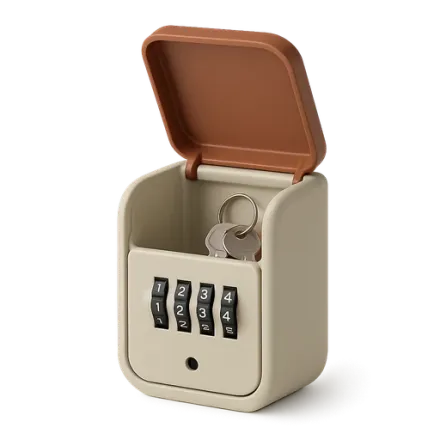 Self check-in: key safe or smart lock?Key safe, smart lock, secure box: comparison of self check-in solutions, security, costs, and coordination with cleaning teams.Guest experience
 Welcoming Families with Children in Short-Term RentalsCot, safety, toys, family-friendly listing: the complete guide to welcoming families with children and earning 5-star reviews.
Move from theory to practice.
One property free to put all of this in place, for as long as it takes.