Airbnb Message Templates: Welcome, Pre-Booking, Check-Out
Airbnb message templates to copy: pre-booking reply, welcome, arrival, check-out, review request and replies to reviews, plus Booking.com setup.
14 min read
It is 11:47pm, you were about to go to bed, and a guest asks for the wifi code. The next day, another wants to arrive early, a third cannot find the key box. Writing these replies by hand becomes a second job: repetitive, exhausting, and yet crucial for your reviews.
The good news: the vast majority of guest questions are predictable. Wifi, arrival, parking, departure: always the same topics, at the same points in the stay. By preparing 8 message templates once and for all, sent at the right time, you answer before the question is even asked. Here are the Airbnb message templates, the timing, and the method to automate without becoming a robot.
Why message templates change your reviews (and your nights)
A few figures to put things in perspective. According to a Touch Stay study of over 37,000 conversations, check-in is the second most common topic guests ask about, just behind wifi, and 88.7% of guests expect detailed arrival instructions (Touch Stay). If you do not send this information proactively, you will be asked for it. Often late at night.
The impact on your rating is direct: 69% of guests say the quality of host communication influences their likelihood of leaving a positive review (Touch Stay). And expectations for responsiveness are rising: according to a 2026 Vrbo survey, 56% of guests expect a reply within an hour if there is a problem (Vrbo / Businesswire).
On the platform side, Superhost status notably requires a response rate of at least 90% within 24 hours (full criteria in the Airbnb Help Centre). Well-designed message templates are therefore a measurable lever for your rating, your visibility, and your peace of mind.
Before the stay: setting the tone (messages 1 to 3)
Message 1: booking confirmation (within the hour)
Goal: reassure and show you are responsive. This is your first impression, it should go out quickly, ideally automatically.
Hello [First name], thank you for your booking! We are delighted to welcome you to [property] from [date] to [date]. You will receive all arrival instructions 3 days before your stay. In the meantime, please let us know if you have any questions. See you soon, [Your name]
Key points: a warm tone, confirmation of the dates (date errors are often spotted here), and above all, announcing the next message. The guest knows they do not need to chase you.
Message 2: arrival instructions (D-3)
This is the most important message of the eight. It should include: the exact address with a visual landmark, step-by-step access instructions (code, key box, smart lock), check-in time, parking, and your number in case of issues. If you offer self check-in, which 67% of guests prefer according to Touch Stay, make each step clear: a photo of the key box is worth a thousand words. For help choosing the right access solution, see Self Check-in: Key Safe or Smart Lock?.
Common mistake: sending this message too early (it gets lost) or too late (the guest is already on the way). D-3 is the right balance, with a reminder on the day itself.
Message 3: day-of reminder (morning of arrival)
A short message repeating the essentials: check-in time, access code, your phone number.
Hello [First name], today’s the day! The property is ready for you from [time]. Quick reminder: [access procedure in one sentence]. Safe travels and see you soon!
Critical point: never write “the property is ready” unless you are certain. This message should only be sent after cleaning is actually finished, confirmed by your cleaner, ideally with photos. A “ready!” message followed by arrival at an uncleaned property is a disaster scenario; if it happens anyway, react quickly (see Last-minute cleaning: what to do if your cleaner cancels).
During the stay: present but not intrusive (messages 4 and 5)
Message 4: next-day check-in (D+1 morning)
One message during the stay is enough in most cases. The morning after arrival, simply ask if all is well:
Hello [First name], I hope you had a great first night! Is everything in order at the property? If anything is missing or not as expected, let me know and I’ll sort it out quickly. Enjoy your stay!
This message catches small issues before they end up in the review (blown bulb, heating not working properly) and shows genuine care. The most common guest complaints: poor internet connection (39%), insufficient maintenance (38%), and lack of cleanliness (33%) (ConsumerAffairs). Better to hear about it on D+1 than in the public review.
Message 5: responding to a problem (template to keep handy)
This message is not sent automatically, but should be ready in advance so you are not improvising under stress:
Hello [First name], thank you for letting me know about [problem], and sorry for the inconvenience. Here’s what I’m doing: [concrete action + timeframe]. I’ll update you by [time]. In the meantime, [workaround if possible].
Winning structure: brief apology + concrete action + timeframe + follow-up. No lengthy justifications. Remember: more than half of guests expect a reply within an hour when something is wrong.
Common requests: ready-made replies in ten seconds
In addition to the eight journey messages, a handful of requests come up every week. Keep a template for each, to adapt in seconds:
| Guest request | Template reply (to personalise) | What to check first |
|---|---|---|
| “Can we arrive earlier?” | “I’ll confirm as soon as cleaning is finished, by [time] at the latest. You can drop your bags if [option].” | That day’s cleaning finish time |
| “Can we check out later?” | “Possible until [time] for [amount], I’ll confirm this evening.” | Next arrival and cleaner’s schedule |
| “What’s the wifi code?” | “The network is [name], password [code], it’s also displayed [location].” | That the code hasn’t changed |
| “Where can we park?” | “The easiest is [parking], [X] minutes’ walk, about [rate] per day.” | Up-to-date rates |
| “I forgot something” | “We’ve found it. I can post it to you for the postage cost, or keep it until [date].” | That the cleaner has set it aside |
The first two lines are the trickiest, as they involve your cleaning team: never promise a time before checking the schedule. The full method for accepting, charging for, and coordinating these with your cleaner is detailed in our early check-in and late check-out guide.
More templates for the situations hosts dread
Beyond the eight journey messages, a few situations come up less often but are stressful to write on the spot. Keep these ready.
Answering a question before booking. Fast, precise, and ending with a clear next step.
Hello [First name], thank you for your interest in [property]! [Answer to the question in one or two sentences]. Your dates are still available: you can book directly from the listing, and I will send you all the practical details as soon as it is confirmed.
Welcome letter left in the property. Short, warm, and giving the three things guests look for first.
Welcome to [property], [First name]! The wifi network is [name], password [code]. Check-out is at [time]: please leave the keys [location], close the windows and lock the door behind you. Clean linen and spare supplies are in [place]. If anything is missing, message us and we will sort it quickly. Enjoy your stay!
Cleaning running late on arrival day. Warn before the guest has to ask, with a new time and a waiting solution.
Hello [First name], a quick heads-up: the property will be ready at [time] rather than [time], as today's cleaning is taking a little longer. You are welcome to [drop your bags / waiting option] in the meantime. Sorry for the wait, I will message you the moment it is ready.
Offering a mid-stay clean on a long stay. Offer it, never impose it, and let the guest choose the time.
Hello [First name], as you are staying [number] nights, we offer a mid-stay clean with fresh sheets and towels. Would [day] between [time] and [time] suit you? If you would rather not be disturbed, that is absolutely fine.
Replying publicly to a positive review. Short, personal, mentioning a detail from the review.
Thank you, [First name], for this lovely review! We are delighted you enjoyed [detail they mentioned]. You are welcome back any time.
Replying publicly to a critical review. Calm, factual, showing what has been done since: you are writing for future guests as much as for this one.
Thank you for your feedback, [First name]. We are sorry that [issue] was not up to standard during your stay. [What has been done since]. We hope to welcome you again and show you the property at its best.
After the stay: turning departure into a 5-star review (messages 6 to 8)
Message 6: check-out instructions (the day before, late afternoon)
Remind guests of the check-out time and 2 to 4 instructions maximum (keys, windows closed, door locked). A list of 10 chores annoys guests and will show in your reviews. This is also the right time to offer a paid late check-out if your cleaning schedule allows: a real revenue booster, as long as it is coordinated with your cleaning team.
Hello [First name], we hope you are enjoying your last evening in [city]! A quick reminder for tomorrow: check-out is at [time]. Please leave the keys [location], close the windows and lock the door behind you. If you would like to leave a little later, just ask and I will check what the cleaning schedule allows. Safe travels!
On Airbnb, keep this message to simple requests. For bookings made from 20 November 2026, hosts can no longer require guests to wash up, strip the beds, start a wash or take the bins to the outdoor containers; reasonable requests, such as putting dirty dishes in the sink or switching off the air conditioning, remain possible. The details are in our article on Airbnb's new check-out rules.
Message 7: post-stay thank you (a few hours after departure)
Thank you for your stay, [First name]! We hope you had a wonderful time in [city]. If you enjoyed your stay, a quick review would help us enormously, and we’ll be happy to leave you one too. Hope to see you again!
Timing matters: sent a few hours after departure, while the stay is still fresh, this message maximises review rates. On Booking.com, the platform itself requests reviews, but this message is still useful for the relationship; how it works for partners is detailed on the Booking.com Partner Hub.
Message 8: loyalty message (optional, a few weeks later)
For your best guests: a message offering a perk if they return (discount, free late check-out). This is the first step in a direct booking strategy, to be used in line with each platform’s contact rules.
Saving your templates in Airbnb and Booking.com
Writing good templates is half the job; the other half is having them one tap away. Both platforms let you store them.
- On Airbnb, quick replies save your templates and insert them into any conversation, with placeholders such as the guest's first name or the check-in time that fill in automatically. Scheduled messages send a template at a set moment, for example a few days before check-in or on the morning of check-out.
- On Booking.com, the extranet lets you create reply templates for the questions you receive most often, to insert into a conversation instead of retyping them.
- If you manage several platforms or properties, a PMS or a messaging tool centralises the templates and sends them from one place, a setup compared in our guide to automatic guest messages.
Whatever the tool, keep one master copy of your templates in a document: when an access code or a check-out time changes, update the master first, then every place it is used.
Private feedback: knowing before the public review
All these messages have a blind spot: the guest disappointed by cleanliness does not always tell you during the stay. They stay silent, then mention it in their review. The best way to hear about it sooner is to offer a private, simple channel as soon as they arrive.
This is the role of the CleanClac guest card: a card with a QR code placed in the property. The guest scans it, no app or account needed, sees the latest clean (when it was done, what was checked, photos, what was prepared for them), and can rate cleanliness from 1 to 5 stars with a comment. A rating of 3 stars or less alerts you immediately. Only one review per clean, never displayed publicly: it’s feedback for you, not a showcase. You can try the page on the online example.
 Chloe

 Isabel
Every rating reaches the right person
From 1 to 5 stars, with a few words if the guest wishes.
More detailsHave a template ready for a low rating, to send within the hour:
Hello [First name], I saw your feedback on cleanliness, thank you for letting me know. I’m sorry that [issue] was not up to standard. [Action: cleaner coming at X time, extra linen delivered, etc.]. Let me know if you need anything else.
If sorted during the stay, a cleanliness issue often becomes just an anecdote, or even a compliment on your responsiveness. If discovered in the review, it stays online. The full process, combined with a digital welcome book, is described in StyQR + CleanClac: the duo for aiming for 5-star reviews.
The right tone: personalising without spending hours
A template message should never feel like copy-paste. Three tweaks are enough:
- Personalise 2 elements per message: the first name, and a contextual detail (weekend weather, local event, group composition). Thirty seconds that make all the difference.
- Match the tone to your listing: a young city studio can take a lighter tone; a high-end villa calls for more formality. Stay consistent from first to last message.
- Add value, not just instructions: a restaurant recommendation in your welcome message is always appreciated. 51% of guests expect restaurant recommendations and 55% want local tips, according to a Booking.com survey of over 42,000 respondents (Booking.com Click. Magazine).
Structural tip: the more complete your welcome book, the shorter your messages can be, as they refer to the guide instead of repeating everything (see Local Recommendations: The Guide That Delights Your Guests).
Automate without losing the human touch: the 4-step method
- Write your 8 templates once and for allIn a document, with variables in brackets ([First name], [date], [code]). Read them aloud: if they sound bureaucratic, rewrite them.
- Schedule the fixed-timing messages(1, 2, 3, 4, 6, and 7): Airbnb offers native scheduled messages, Booking has reply templates; third-party tools let you centralise everything across platforms. See the comparison in our guide to automatic guest messages.
- Keep the human touch for sensitive messagesReplies to problems (message 5) and loyalty (message 8) should remain manual. An unhappy guest will spot an automated reply instantly.
- Stay connected to what’s happening on the groundThe “property is ready” message is only valid if your cleaning schedule is reliable, with bookings synced to your team’s rota and cleans confirmed by checklist and photos.
The number one automation pitfall: forgetting to update. If an access code changes, all your scheduled messages become wrong. Plan a quarterly review of your 8 templates, at the same time as updating your listing.
Show, don’t just promise
A message saying “the property has been fully cleaned and disinfected” proves nothing: every host writes it. What reassures guests is what they can see. Instead of lengthening your welcome message, let them discover their cleaning page on arrival: finish time, checked points, what was prepared (linen, essentials, little touches). Your messages stay short, and the proof speaks for itself.
 Fresh sheets
 Fresh duvet cover
 Fresh pillowcases
- Surname
- Phone number
- Cleaning issue reports
- Access codes
What guests see
The last cleaning in detail: the time, the cleaner, the points checked, the linen and the little touches.
More detailsYour questions
What messages should you send to an Airbnb guest and when?
Eight messages cover the whole journey: booking confirmation (within the hour), arrival instructions (D-3), day-of reminder, next-day check-in (D+1), replies to problems (as needed), check-out instructions (the day before), thank you and review request (a few hours after departure), and an optional loyalty message a few weeks later.
Can you automate all guest messages?
Six out of eight messages can be easily automated: those with predictable timing and content (confirmation, instructions, reminders, check-out, thank you). However, replies to problems and loyalty exchanges should remain manual: a guest in difficulty expects a human, rapid, and concrete reply, not a generic message.
When should you send arrival instructions to guests?
Ideally 3 days before arrival, with a short reminder on the day itself. Too early, the message gets lost in the inbox; too late, the guest is already travelling. Nearly 89% of guests expect detailed instructions: address, step-by-step access with photos, parking, and a phone number in case of issues.
Does communication really influence reviews?
Yes, strongly: 69% of guests say the quality of host communication influences their likelihood of leaving a positive review. Communication is even rated separately on Airbnb, and a response rate within 24 hours (minimum 90%) is part of the Superhost criteria.
How should you reply to a guest reporting a problem?
Follow a four-step structure: brief apology, concrete action, stated timeframe, then a follow-up message. For example: “Sorry for the inconvenience, I’ll send someone by 6pm, I’ll confirm as soon as it’s sorted.” More than half of guests expect a first reply within an hour if there’s a problem: speed matters more than perfection.
How should you respond to an early check-in request?
Do not say yes or no straight away. Reply that you’ll confirm as soon as that day’s cleaning is finished, with a latest possible time, and offer a waiting solution (bag drop, nearby café). Then check the previous guests’ departure time and your cleaner’s slot. A promise kept at 1pm is better than a “yes” at 11am followed by waiting outside the door.
Where do you save message templates on Airbnb?
In the quick replies of your Airbnb messages: each saved template can be inserted into a conversation in one tap, with placeholders such as the guest's first name filled in automatically. For messages sent at a set time, use scheduled messages, which send a template after booking, before check-in, on check-out day or after the stay.
Can I use the same templates on Booking.com?
Yes, the content works on both platforms; only a few details change, for example Booking.com asks guests for reviews itself. Save them as reply templates in the extranet, and keep one master document so that a code or time change is updated everywhere at once.
What should a check-out message say?
The check-out time, where to leave the keys, and two or three simple requests at most, such as closing the windows and locking the door. On Airbnb, for bookings made from 20 November 2026, hosts can no longer require tasks such as washing up, stripping the beds or taking the bins out to the containers.

Written by Janik Thoisy
Janik Thoisy manages short-term rentals day to day and shares her cleaning and organisation methods here.
Published on August 7, 2026 · Updated on November 16, 2026
Read next
 Airbnb Guest Touches: 25 Ideas That Transform a Stay25 guest touches for your Airbnb guests, sorted by budget (£0, under £5, under £20), and the method to offer them at every stay.Guest experience
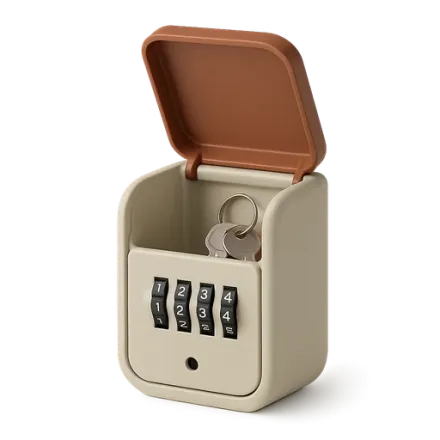 Self Check-in: Key Safe or Smart Lock?Self check-in for short-term rentals: key safe or smart lock, costs, security, mistakes to avoid, and coordination with cleaning teams.Guest experience
 Welcoming Families in Rentals: Equipment and Safety TipsWelcoming families with children in short-term rentals: baby equipment, safety, toys, enhanced cleaning, and family-friendly listings for 5-star reviews.
One property free to put all of this in place, for as long as it takes.