
Updates
What changes in the app, version after version.
Version 1.1.3
13 new features
A checklist organised by room
Organise tasks room by room: bedroom, bathroom, kitchen, plus fourteen new room types. A new property starts with a basic checklist already organised.
Photos or video, room by room
Choose photos or a proof video for each room, plus a video of the whole property.
Checkpoints
Meter, thermostat, key box: checkpoints now have their own entry in the proof, separate from the rooms.
Change the date of a cleaning
On the cleaning page, the "Cleaning date" block opens the calendar. In the planning, press and hold a cleaning to drag it to another day.
Uplisting, Hostfully and GuestWisely
Three new PMS connect to CleanClac: your properties and bookings come in on their own.
The guest card, room by room
The page your guests see shows the cleaning in rows by room, which open with a tap.
Summary and reports by room
The cleaning summary, live tracking and issue reports show the room concerned.
Download everything
In a cleaning summary, download all the photos and videos of a room in one go.
A new number follows everywhere
When a phone number changes, it is updated everywhere: team, profiles and messages.
Updates, right here
Find what changes in each version in the menu, and update the app with one tap.
- Cleaners
Cleaning room by room
Your checklist opens on the rooms of the property. Enter a room, complete its tasks and proof, then move on to the next one.
Version 1.1.2
7 new features
Manager and cleaner
A manager can join another team as a cleaner and switch between spaces from the menu.
Approve or delete a cleaning
Approve a cleaning yourself, or delete a completed cleaning created by mistake.
Easier sign-in
Link your Google or Apple account, and recover your password by SMS if you sign in with your number.
A clearer team view
Each cleaner's photo and colour in every list, twenty colours to choose from, and pending invitations gathered in one block.
- Cleaners
Proof in the checklist
The photos and videos to take appear in your checklist, each with its description and a sample photo.
- Cleaners
Tick all
Tick all the tasks of a checklist section in one go.
- Cleaners
Your requests at a glance
Invitations and cleaning requests open in a single sheet above the planning, and you swipe through them.
Version 1.1.1
7 new features
The same checklist as another property
An empty checklist offers "Same as:" to copy the checklist of another of your properties in one go.
Invitations sent by SMS
The cleaner you invite receives their 6-digit code and the link to download the app by SMS.
Cleaners near your properties
Below your team, available cleaners around all your properties, ready to be invited.
A redesigned sign-up
New screens with a progress bar, and a password guided by three rules ticked below the field.
Links open the app
A CleanClac link received by email or SMS opens the right page directly in the installed app.
- Cleaners
Use my location
Fill in your address with one tap using your current location.
- Cleaners
No missed requests
If a cleaning request does not reach you by notification, it is sent to you by SMS.
Version 1.1.0
7 new features
The guest card
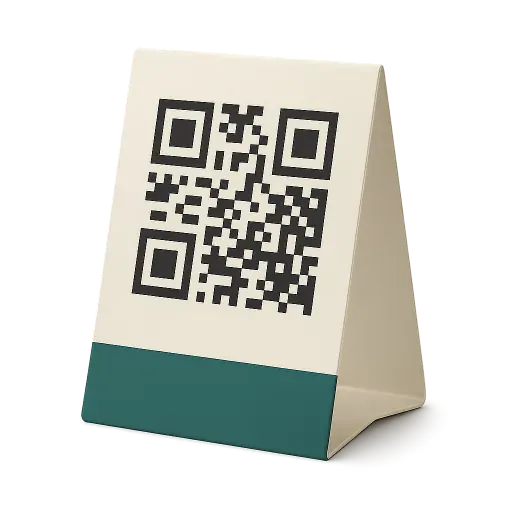
A QR code to place in the property: your guests see the cleaning done and leave a rating. Their reviews arrive in your messages and reports.
I'll choose myself
Offer a cleaning to several cleaners: each one says whether they are available, and you choose.
A colour for each cleaner
Pick a colour on a cleaner's profile: their cleanings take it in the calendar, so you see at a glance who does what.
Stock tracking as an option
Stock tracking is switched on property by property. When off, the cleaner gets no stock questions.
Every notification opens the right page
Tapping a notification takes you straight to the cleaning, conversation or property concerned.
- Cleaners
I'm available
When a manager chooses themselves, let them know you are available and when you will arrive.
- Cleaners
Start whenever you like
On the day of the cleaning, you can start it when it suits you, and the manager's instructions stay visible during the cleaning.
Version 1.0.9
4 new features
- The property card becomes a page All its information, cleaners and settings in one place.
- Automatic assignment to several cleaners Cleanings already planned follow too.
- A step-by-step start With the QR code to install the app.
- CleanersOne card per property in Clients With its contacts and its details.
Version 1.0.8
3 new features
- A property's reports From the property menu.
- Today's cleanings stay visible Even once completed.
- CleanersYour account is visible Nearby managers can find you.
Version 1.0.7
3 new features
- Try the demo without an account All of CleanClac, with sample data.
- Offer a cleaning to several cleaners The first to accept takes the cleaning.
- Manage my subscription on iPhone From the menu.
Version 1.0.6
3 new features
- One video per room For properties that one video cannot cover.
- New tasks Doors, cupboards, switches and more in the library.
- CleanersExport your calendar From your planning.
Version 1.0.5
Improvements and fixes
Version 1.0.4
2 new features
- Getting started Address, app and notifications, step by step.
- Connect a calendar Suggested as soon as your calendar is empty.
Version 1.0.3
3 new features
- Reports Time, costs, quality and supplies, in charts.
- Checkpoints Photos separate from the rooms.
- Every address Suggestions come from Google, everywhere.
Version 1.0.2
3 new features
- Your first property at sign-up Your space is created with it.
- Message archives Conversations with people who left the team.
- CleanersFind jobs You enter your address right there.
Version 1.0.1
3 new features
- Manager sign-up on iPhone It is back on iPhone and iPad.
- The app link in the invitation The invited cleaner installs it in one tap.
- Airbnb blocked dates A blocked period is no longer taken for a stay.
Always the latest version
One property free, no credit card. On the web, the app is always up to date.