

Find an Airbnb cleaner
Find an Airbnb cleaner right from the app, around your property, with no commission at all.
Available cleaners show up on a map. One request goes to all of them, and you choose among those who say they are interested.

 Emma D.800 m
 Luke F.2 km
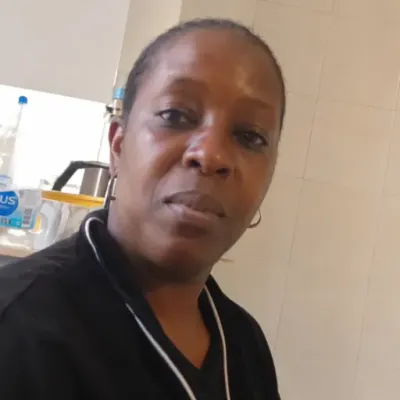 Amara O.4 km
One request for everyone
The number of cleaners found shows up in large type, and a single button sends your request to all.
“Start the search” goes to every cleaner shown, filters included, the 50 nearest, at the same rate. Tapping a photo only shows their profile.

Their radius decides
Each cleaner sets their own radius, up to 100 km: only those who cover your property show up.
Search runs property by property, so a host with homes far apart finds people near each one.
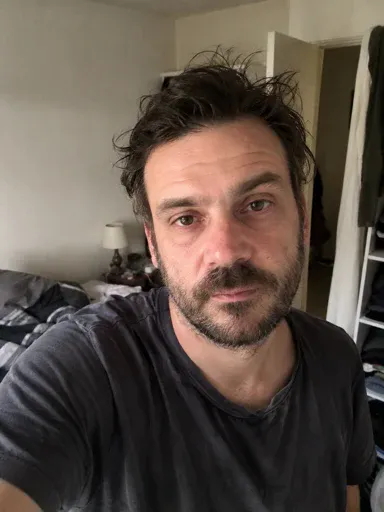
 Thomas W.
Your rate goes with it
Per cleaning or hourly, with or without laundry: every cleaner sees your rate before answering.
They answer “I'm interested” or decline with a reason, such as “Rate too low”. No phone number or exact address is shared before you choose.

You choose among the candidates
Interested cleaners land in “Candidates”, at the top of Team and on the property’s page.
“Chat” opens the conversation. “Add to my team” makes your choice: the request closes and the other candidates are notified.



Open until you choose
Your request stays open until you find your cleaner: cleaners who arrive in the area receive it too.
Nobody around? It waits for newcomers. It closes when you add a candidate to your team, or if you turn off the search in the Recruit tab of Team.
Thomas W.Finding a cleaner for a short-term rental
Search near the property
An Airbnb cleaner comes on checkout day, sometimes several times a week. Distance matters more than anything, which is why the search starts from the property’s address, not yours.
Each cleaner decides how far they are willing to travel. The people you see have already agreed to the trip.
One request, several answers
Instead of waiting for a single person to answer, your request goes to every cleaner on the map, at the same rate. Filters count: vehicle, laundry, weekends, equipment or language.
Each one answers “I'm interested” or declines with a reason. You compare the interested cleaners before deciding.
Offer a clear rate
A rate per cleaning suits regular turnovers, an hourly rate suits large houses or deep cleans. Laundry is added separately.
While the request is open, the rate can be changed: a raise applies to everyone, a cut only to those who have not answered yet.
Choose your cleaner
Candidates appear in Team and on the property’s page, with their profile and the rate they accepted. “Chat” lets you ask your questions before choosing.
No phone number or exact address is shared before you choose. The one you add joins the property’s team at the rate they accepted.
When nobody is available
The request goes out anyway: every cleaner who arrives in the area receives it, until you find yours. It has no end date.
It closes when you add a candidate to your team, or if you turn off the search in the Recruit tab of Team. Nothing to send again in the meantime.
Pay with no middleman
CleanClac takes no commission, neither on the introduction nor on the cleanings. You pay the cleaner directly, as you agreed together, and the money never goes through the app.
What is free
Search is open to everyone. The free plan includes one cleaner; beyond that, a subscription makes your team unlimited, with 7 days free on a first subscription.
Step-by-step guides
All tutorials in this topic →Frequently asked questions
How much does the introduction cost?
Nothing: CleanClac takes no commission. The free plan includes one cleaner; beyond that you need a subscription, with 7 days free on a first subscription.
Who receives my request?
Every cleaner shown on the map, filters included: the 50 nearest each time you send. As long as it is open, cleaners who arrive in the area receive it too.
What does the cleaner see before answering?
Your name, the property (photo, distance, house or apartment, bedrooms, bathrooms) and the rate you offer. The exact address only reaches them once you add them to your team.
Can I talk to a candidate before choosing?
Yes: “Chat” opens a conversation with them, without them joining the team. If you choose someone else, the conversation stays readable, read-only.
Can I change the rate after sending?
Yes, while the request is open: tap “Change the rate” in Candidates. A raise applies to everyone, a cut only to those who have not answered.
What if nobody suits me?
It stays open, with no end date, and goes to cleaners who arrive in the area. It closes when you add a candidate or turn off the search in Recruit.
How do I pay the cleaner?
Directly, as you agree together. CleanClac plays no part in the payment and takes nothing from the job.
Explore more
Cleaning schedule
Every booking becomes a cleaning
Inventory management
Alerted before you run out
Cleaning checklist
Task by task, nothing forgotten
Cleaning report
Timestamped photos, sealed proof
Team management
Invite your cleaners
Guest card
More transparent than a hotel
Integrations
Connected to your PMS
And much more!
Over 150 illustrated tasks



















Find your cleaner
Add your property and start the search: your first property is free.


