Automate Your Booking Cleanings with CleanClac: iCal Guide
Booking.com iCal calendar linked to CleanClac: each departure creates a cleaning, manually closed dates, lead times, team notified, timestamped proof.
10 min read
A Booking reservation comes in while you are in a meeting. The guest leaves on Saturday at 10am, the next arrives at 4pm, and no one has told your cleaner. You discover this on Friday night, make three phone calls, and hope for the best. The good news: the Booking.com calendar exports a standard iCal feed, and this simple link is enough for every departure to automatically trigger a scheduled, assigned, and verified cleaning. Here is the complete step-by-step with CleanClac, plus the Booking-specific details you need to know to keep things running smoothly, starting with how Booking exports its reservations.
Why automate your Booking reservations' cleanings
Booking.com is no longer just a hotel site: the platform had around 8.6 million alternative accommodation listings in the third quarter of 2025, and these accounted for 35% of nights sold in the second quarter of 2025 according to Rental Scale-Up. If you rent short-term, some of your bookings probably come through this channel, alongside Airbnb or Vrbo.
Each Booking reservation involves the same chain of actions: note the departure date, notify the cleaner, check that the cleaning has taken place before the next arrival. Done manually, this chain always breaks at the same point: information transfer. A last-minute booking, a cancellation, a date change, and your paper planner or WhatsApp group is already out of date.
The issue is not just logistics. 81% of travellers rate cleanliness as the number one factor in choosing accommodation, and 78% say they are more likely to leave a positive review when the property is spotless, according to an AHLA study reported by Hospitable. A missed cleaning costs you directly in reviews. Automating via iCal solves the problem at its root: the reservation creates the cleaning, with no human intervention.
Step 1: Export the iCal link from the Booking.com extranet
Everything starts from the extranet, Booking's partner management interface. The principle: Booking provides for each property a unique iCal link (a URL ending in .ics) containing your calendar's unavailable periods. Any application able to read this standard format can track your bookings.
The path in the extranet:
- Log in to the Booking.com extranet (admin.booking.com) with your partner account.
- Open the Calendar & Rates tab, then the calendar sync section.
- Choose export calendar: Booking generates a unique iCal URL for the property.
- Copy this link. This is what you will paste into CleanClac.
Three Booking-specific points to watch:
- One link per property. If you manage several listings or units, each has its own iCal feed. Export them all.
- The link is confidential. It contains your booking dates: only share it with your tools.
- The function may be hidden if your property is connected to a channel manager: Booking then assumes synchronisation is handled there, and you will connect CleanClac via the channel manager or PMS.
For the official details on how the extranet works, the reference is the Booking.com Partner Hub, which documents calendar and reservation management.
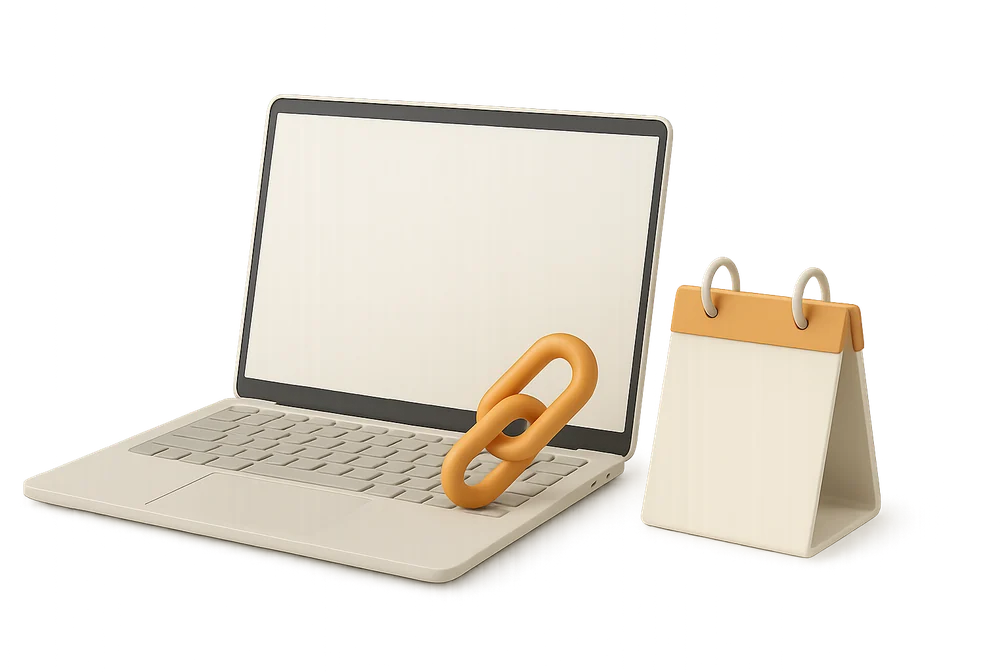
Step 2: Connect the Booking calendar to CleanClac
On the CleanClac side, connecting takes two minutes per property, and it is included with your first free property, with no time limit or credit card required:
- Create the property in CleanClac: address, default cleaning slot (for example, 10am to 3pm), maximum number of guests, photo if you wish.
- At the calendar step of setup (or later from the property page), paste the iCal URL copied from the Booking extranet.
- Check in the schedule that your upcoming departures have their cleaning assigned.
That's it. CleanClac now checks the Booking calendar every 30 minutes and, for each guest departure, automatically creates the cleaning in the property's default slot. The "Synchronise now" button on the property page refreshes everything instantly, and a red dot with a notification alerts you if a calendar stops responding. A booking made at 11pm on a Sunday generates its cleaning just as reliably as one made three months in advance.





Updated every 30 minutes
Calendars and PMS are read every 30 minutes, and the sync button reads everything on the spot.
More detailsThe same process works for Airbnb and Vrbo: add each iCal feed to the same CleanClac property, and all departures, whatever their source, feed a single cleaning schedule. The Airbnb step-by-step is in Automate Your Airbnb Cleaning with CleanClac, and how calendars work together is explained in Airbnb iCal Link: Sync with Booking and Vrbo, Fixes.
If you already use a PMS or channel manager, CleanClac also offers direct connectors to 9 PMS: Beds24, Smoobu, Lodgify, Hostaway, Guesty, SuperHote, Uplisting, Hostfully and GuestWisely, free of charge. The connector then replaces iCal: it pulls confirmed bookings directly, rather than an availability calendar, and passes on the number of guests. Example of a setup focused on direct bookings: CleanClac + Lodgify: direct booking site, automated cleaning.
The Booking-specific detail to know: "CLOSED - Not available"
This is the point that surprises most hosts, and it's worth understanding before you start.
Booking exports all its reservations under the same label ("CLOSED - Not available") and never includes the guest's name. Its calendar therefore does not distinguish between a reservation and a date you have manually closed in the extranet. The result: a manually closed date also appears as a stay, and CleanClac creates a cleaning for it.
The solution is simple: remove this cleaning from its page, using "Delete cleaning", or "Cancel cleaning" if it has already been accepted by the cleaner. Two useful clarifications:
- A closure of more than 90 nights, such as the one Booking automatically sets at the end of its bookable period (about a year ahead), is never treated as a stay: Booking does not allow bookings that long.
- On Airbnb, by contrast, a closed date ("Not available") remains a blocked period, with no cleaning. This nuance is specific to Booking.
If you often close dates manually (for works, personal use), two options: get into the habit of deleting the cleaning created, or use a connected PMS, which passes on actual bookings rather than an availability calendar.
Step 3: Automatic scheduling in practice
Once connected, each automatically created cleaning inherits the property's settings:
- The default slot: set to your real timings. Departure at 10am, arrival at 4pm? Cleaning slot 10am-3pm, with a buffer for the unexpected.
- The illustrated checklist for the property: CleanClac uses a catalogue of over 250 tasks organised by section (cleaning, finishing, linen, restocking, comfort, touches), which you adapt to each property. Without a checklist, a property does not receive a cleaning.
- The cleaner: with automatic assignment, they receive the request immediately; otherwise, you assign them, or you invite several cleaners and the first to accept takes the cleaning.
Special cases follow the same logic:
- Last-minute booking: the cleaning appears at the next sync, at most 30 minutes later, or immediately with "Synchronise now".
- Cancellation: the booking disappears from the Booking calendar, and the cleaning is removed. The assigned cleaner is notified.
- Date change: the cleaning follows the new departure, with a "Cleaning moved" notification to the cleaner.
- Same-day turnover (departure and arrival on the same day): the cleaning is created on the day of departure, in the default slot. This is the scenario where a missed cleaning is most costly, so automation is most valuable.
Final setting: the estimated cleaning duration. A slot that's too short is quickly spotted in CleanClac, as the actual duration is tracked and the "(Overrun)" label appears when the estimate is exceeded. For an overview, see the Planning page.
Step 4: Team notified, cleaning proved remotely
Automation only works if the information reaches the person with the vacuum. In CleanClac, the cleaner receives the request in the app (new cleaning, date, slot, property, checklist), accepts or declines and commits to an arrival time. If their notifications are off, a backup SMS alerts them to a new request. Three details make a real difference for a team:
- The cleaner never pays anything. The free account includes one cleaner; with a subscription, cleaners and co-managers are unlimited, at no extra cost.
- Access safe: key box or door code details are sent to the assigned cleaner, on the day of the cleaning. No more codes sent by SMS.
- Integrated messaging: manager-cleaner exchanges stay within the app, including photos.
Before the first task, the cleaner rates the property's condition from 1 to 5 stars; below 4, they tick what is wrong and can attach a photo. This is invaluable for spotting a stay that left a mess, and for discussing it with the guest before they leave a review.
Condition rated on arrival
Before the first task, the cleaner rates the property out of 5, with a photo if needed.
More detailsThe final piece: proof of cleaning completion. Proofs form the last group in the checklist: photos for each room to be photographed, control points (keys returned, windows closed, door locked) and, for subscribers, a video of the property. They are timestamped by the server, with a digital file signature and GPS position when available: no one can backdate or replace a proof. Added to this are on-site check-in and actual duration, all included in the summary of each completed cleaning.
Lead times, feed content, and source of truth
iCal is a robust standard, but it has its limits, and building them into your process avoids most surprises.
Synchronisation delay
An iCal feed is not a real-time connection: CleanClac checks your calendar every 30 minutes, and Booking itself updates its export at its own pace. A same-day booking made late in the morning may therefore take a while to appear. The solution: keep a safety margin in your slots, use "Synchronise now" when a booking has just come in, and for properties with a lot of last-minute bookings, use a PMS connector.
What the feed contains (and does not)
The feed exported by Booking transmits unavailable periods, which is enough to schedule cleanings. It does not include the guest's name, number of guests, or special requests: these remain in the extranet. For linen and consumables, CleanClac uses the property's capacity.
Extranet or channel manager: which is the source of truth?
If you work directly on Booking, the extranet is the source, and so is its iCal. If a channel manager manages your listings, connect CleanClac to it or to the PMS, not to each platform separately: this avoids duplicates when the same booking appears in two calendars. A property imported from a PMS does not take an iCal link, for this very reason.
Departure times
iCal gives the departure day, not the guest's check-out time. Hence the importance of the default slot, set to the check-out time published in your Booking listing. Occasional late check-out? Adjust the slot for that cleaning, or move it by a day from the "Cleaning date" block: automation creates the base, you keep control of exceptions.
Best practices for a flawless Booking pipeline
- Test with a real booking: after connecting, check that an existing booking has generated its cleaning on the right date, at the right time.
- Watch for manually closed dates: delete the cleaning created for a closure, or avoid closing dates without reason.
- One schedule for all platforms: add Airbnb and Vrbo feeds to the same CleanClac property, so your team has only one calendar to follow.
- Checklist per property, not generic: a city studio and a house with a garden need different checks.
- Watch for the "(Overrun)" label: recurring overruns mean your slot is too short.
- Track stocks for properties where the cleaner restocks: stock level and threshold alerts prevent toilet paper from becoming a guest review issue.
Your questions
Does Booking.com offer an iCal export for all properties?
iCal synchronisation is available in the extranet for partners who manage their calendar directly. It may be hidden if your property is connected to a channel manager, which then becomes the sync point. Each property or unit has its own iCal link, to be exported individually.
Why does a cleaning appear on a date I closed in Booking?
Booking exports both bookings and manually closed dates under the same label, with no guest name: its calendar does not distinguish between them. A closed date therefore creates a cleaning, which you remove from its page ("Delete cleaning", or "Cancel cleaning" if accepted). Closures of more than 90 nights are ignored.
How long does it take for a Booking reservation to appear in CleanClac?
CleanClac checks calendars every 30 minutes, and the "Synchronise now" button on the property page refreshes everything instantly. For the vast majority of bookings, made several days in advance, the delay is invisible. For same-day arrivals, keep a buffer in your slots.
Can I sync Booking, Airbnb, and Vrbo on the same property?
Yes. CleanClac accepts multiple iCal calendars per property: add the Booking, Airbnb, and Vrbo links, and all departures feed the same cleaning schedule. If a PMS already centralises everything, connect CleanClac to it via a direct connector, free of charge.
Does my cleaner have to pay or create a subscription?
No. The cleaner never pays anything. Only the manager pays, per property: the first is free, with no time limit or credit card, then £7.99/month for 2 properties. The cleaner uses the app on iPhone, Android, or the web, accepts their cleanings, ticks off the checklist, and uploads proof, at no cost.

Written by Jonathan Lalinec
Jonathan Lalinec is the founder of CleanClac. He compares and automates tools for short-term rentals.
Published on August 7, 2026 · Updated on November 11, 2026
Read next
 Airbnb iCal Link: Sync with Booking and Vrbo, FixesAirbnb iCal link: where to find it, how to sync it with Booking and Vrbo, real sync delays, fixes when it stops updating, and automatic cleans.Tools and automation
 Vacation Rental Automation: What to Hand Over in 2026Vacation rental automation in 2026: messages, pricing, check-in, cleaning and reviews, what to automate, time saved and the best order to start.Tools and automation
 Airbnb Cleaning Software: How to Choose the Right AppHow to choose Airbnb cleaning software: booking sync, checklists, photo proof, team pricing, tool types compared, a 10-scenario test grid and ROI method.
One property free to put all of this in place, for as long as it takes.