Manager
How do I set the quantity to restock at each cleaning?
In the checklist, open the restocking task: Fixed always restocks the same number, the smart calculation adapts it to the guests and nights of the stay.
Where to tapChecklistQuantity to set outFixedAdvanced settingsSmart calculation
Step by step
- 1Open the property’s Checklist page and tap the room.
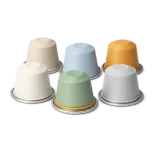
- 2Tap the restocking task, for example the coffee capsules.
- 3On the Quantity to set out row, Fixed always restocks the same number; the sparkle next to it switches to the smart calculation.
- 4With the smart calculation, tap Advanced settings.
- 5Set Base, Per guest and Per night: the quantity follows each stay.
Good to know
- With the smart calculation, the cleaner reads directly how many to restock, without counting.
- This quantity, set out at each cleaning, is what lowers the property’s stock.
Checked on November 15, 2026