Manager
How do I plan tasks only when a baby or a pet is coming?
Put the library’s baby or pet tasks in the checklist, then turn on Baby or Pet on the cleaning concerned: they are added to it.
Where to tapPlanningHarbourside FlatGuestsBaby
Step by step
- 1In Planning, open the cleaning before the baby or pet arrives.
- 2In the Guests block, turn on Baby (or Pet).
- 3The baby tasks of the property’s checklist are added to this cleaning, and to it alone.
Good to know
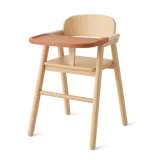
- These tasks are first added to the checklist from the library (high chair, travel cot, dog treat…): their Recurrence says “Only when a baby is reported” or “Only when a pet is reported”.
- Possible as long as the cleaning has not started. With no baby or pet task in the checklist, the information is passed on and nothing is added.
- Other tasks only come at clock changes (resetting the clocks).
Checked on November 15, 2026